Collaborate outside the company, inside Microsoft 365.
eSHARE runs inside Teams, SharePoint, OneDrive, and Outlook, so the file is shared from the place it was created, with no context switch.









The secure sharing tool was bought, deployed, and avoided
A person with a contract to send has Outlook open. If the approved way to send it means a different browser tab, a separate login, and a portal they last used in March, they will attach the file to an email instead. That is not carelessness, it is the shortest path to get work done. Any tool bought to control external sharing that sits outside the work adds one more habit for somebody to skip.

eSHARE appears in the applications where work is created
eSHARE weaves through the Microsoft 365 tenant, configured once rather than pushed to every device as software, so it turns up in Teams, SharePoint, OneDrive, and Outlook, where the work already happens. Someone sharing a draft outside the company does it from the file itself, with the Microsoft account they already have. No second password, no separate portal, nothing new to learn.
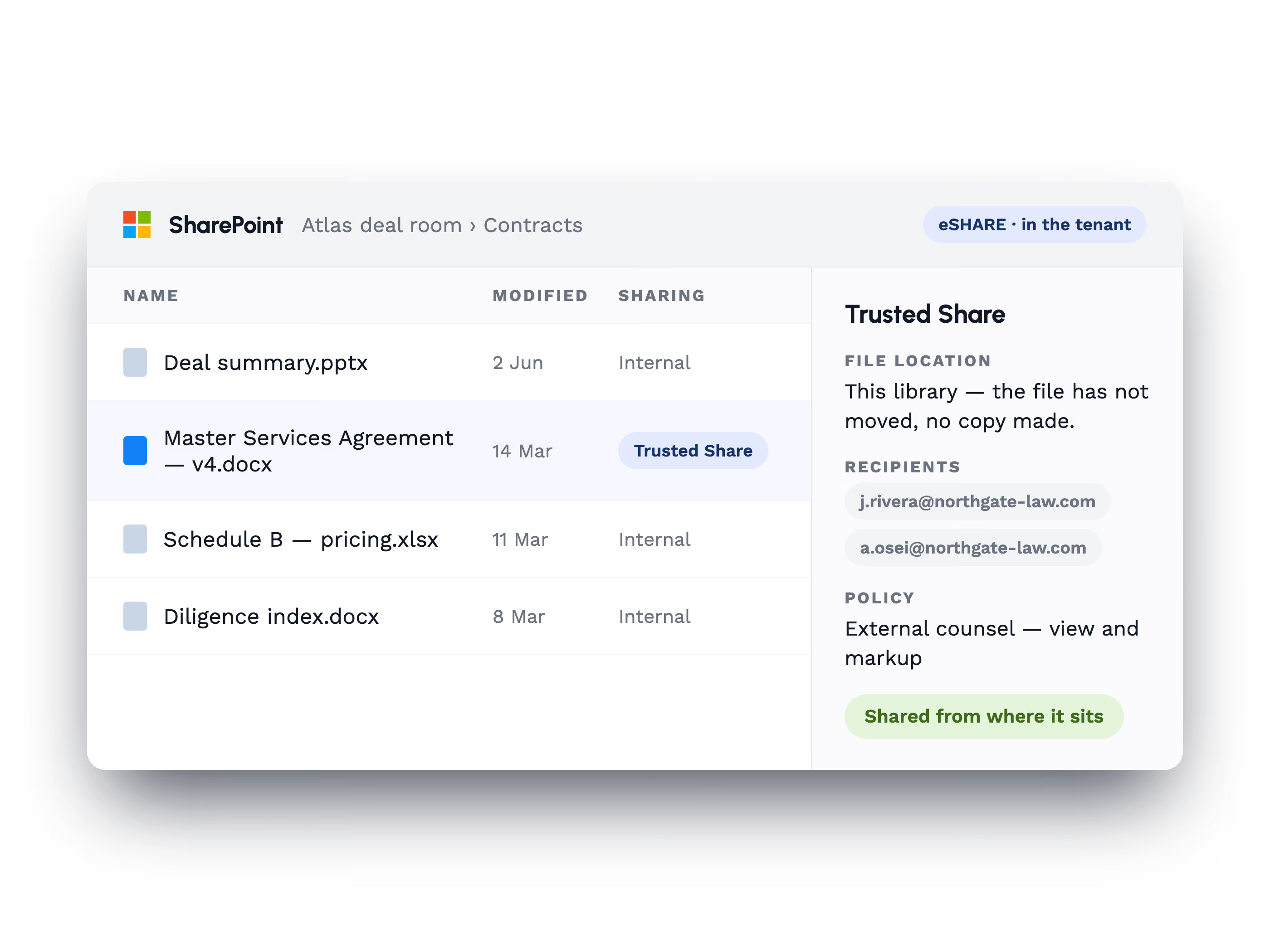
The file is shared from where it already sits
A Trusted Share binds the file in SharePoint or OneDrive to named recipients. No upload to a portal, and no second copy to keep track of.
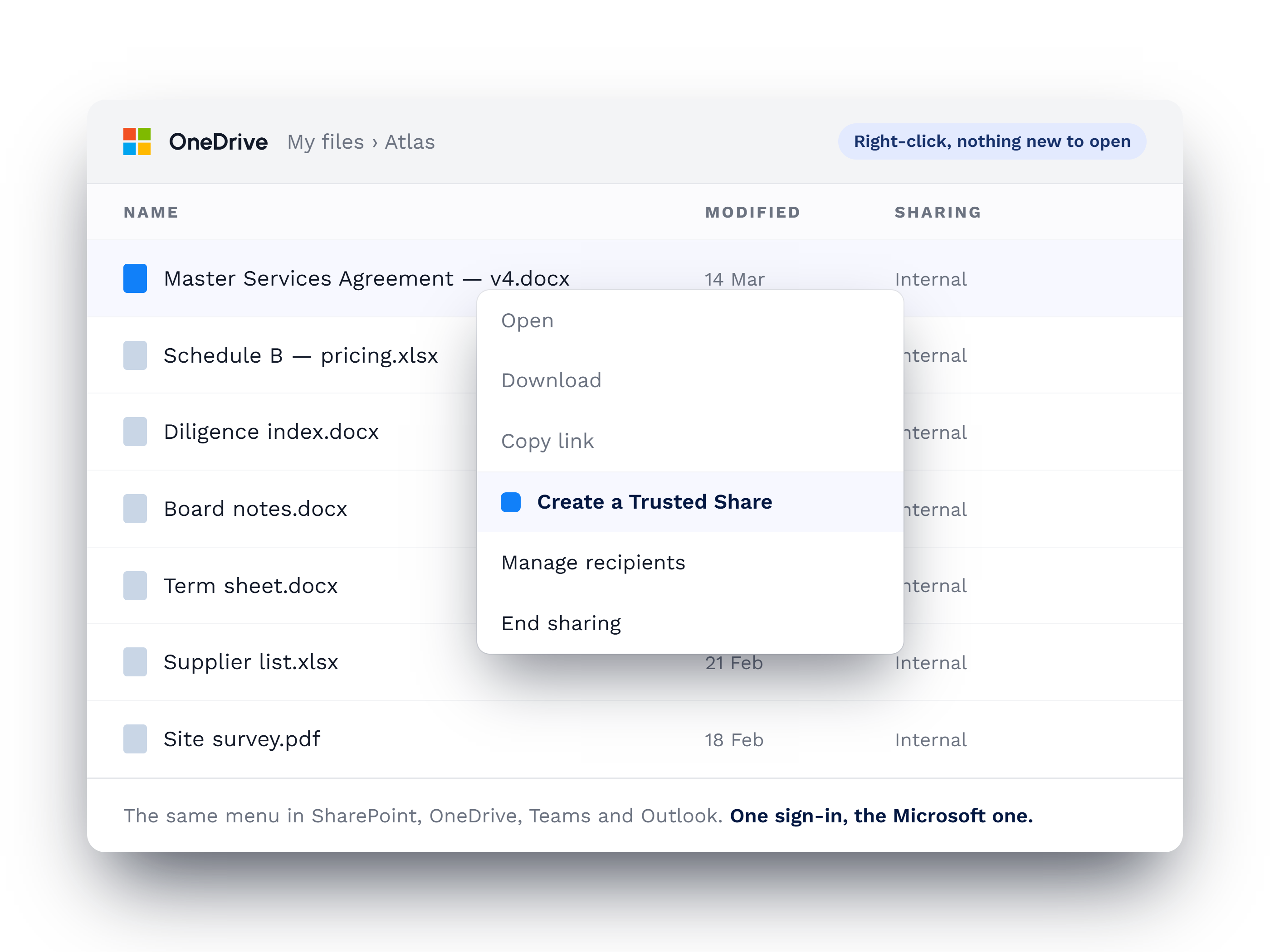
A right-click on the file starts the share
Sharing is seamlessly enabled through a tab in Teams or a right-click on a file in SharePoint and OneDrive,
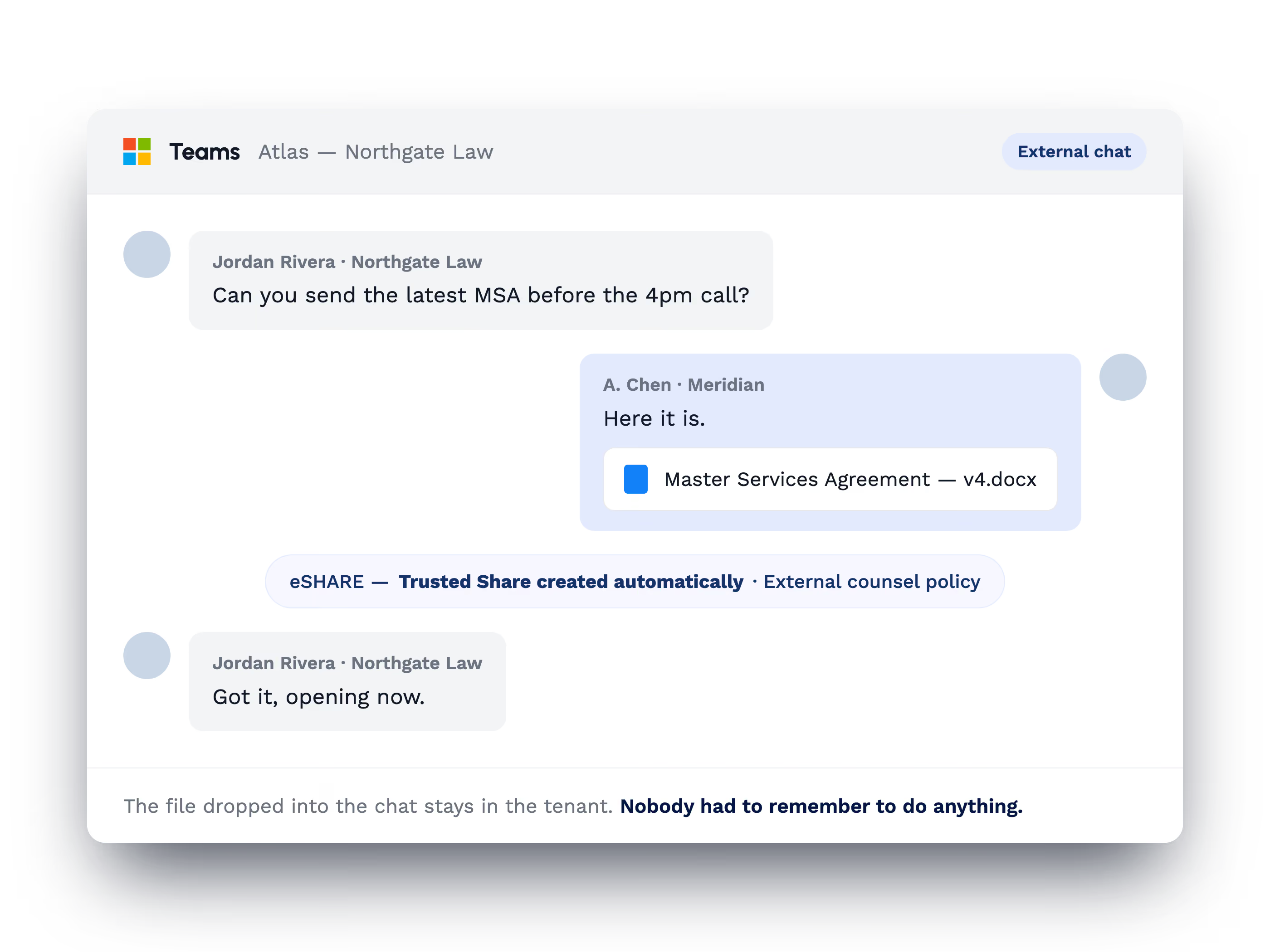
A file dropped in a Teams chat becomes a Trusted Share
Add a file to an external Teams chat and the Trusted Share is created around it. Nobody has to remember to do anything.
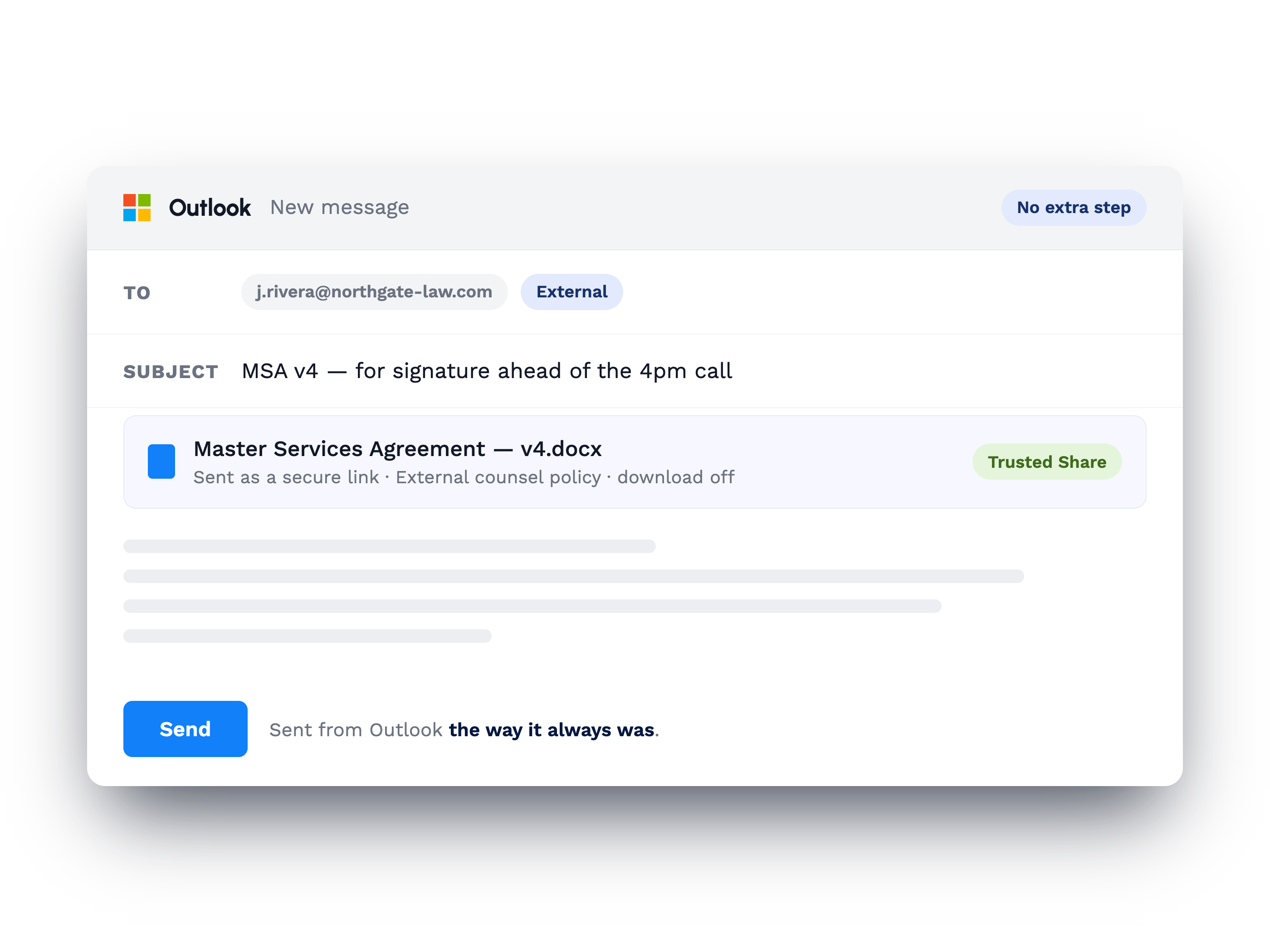
Email is sent from Outlook the way it always was
People write and send from Outlook as usual. Attachments go out as secure links under a sharing policy, and there is no extra step.
Success in Their Own Words

"eSHARE simplified and improved the quality of our data collection process. It’s modern and simple UX allowed us to quickly implement and secure our partnerships with our suppliers and continue to innovate our Digital Supply Chain Solutions."

"After evaluating numerous products throughout my career, none have matched eSHARE's comprehensive features and versatility. The platform's detailed control, such as SAML and OAUTH support, a comprehensive RESTful API for streamlined document management, and ongoing enhancements to meet cybersecurity demands, positions eSHARE as a top choice for enterprise file management and collaboration."

"A very good product, with amazing support. It has enabled us to provide secure documentation to customers and been a game changer for winning contracts in the UK. In the USA it has allowed the team to win high end contracts with confidence."