Microsoft 365 governance, applied when work gets done
eSHARE decides who can open a Microsoft 365 link or email, and what they can do once they have it, outside the tenant and inside it.









Governance has to keep pace with Microsoft 365 innovation
Microsoft 365 keeps making collaboration faster. Copilot responds from the content people already have, teams work across time zones without waiting on each other, and files move between organizations in minutes. Every one of those gains depends on the rules holding at the moment a file is shared and again at the moment it is opened, which is where regulated work either accelerates or stops.

eSHARE decides each request without
slowing the work
eSHARE decides every request from the attributes around it, what the file is classified as, who is asking, the device they are on, and where they are. A supplier gets a link and the file stays in the tenant, with the controls on that link set per policy. Nobody waits on a ticket and nobody writes a separate rule every time a file is shared.
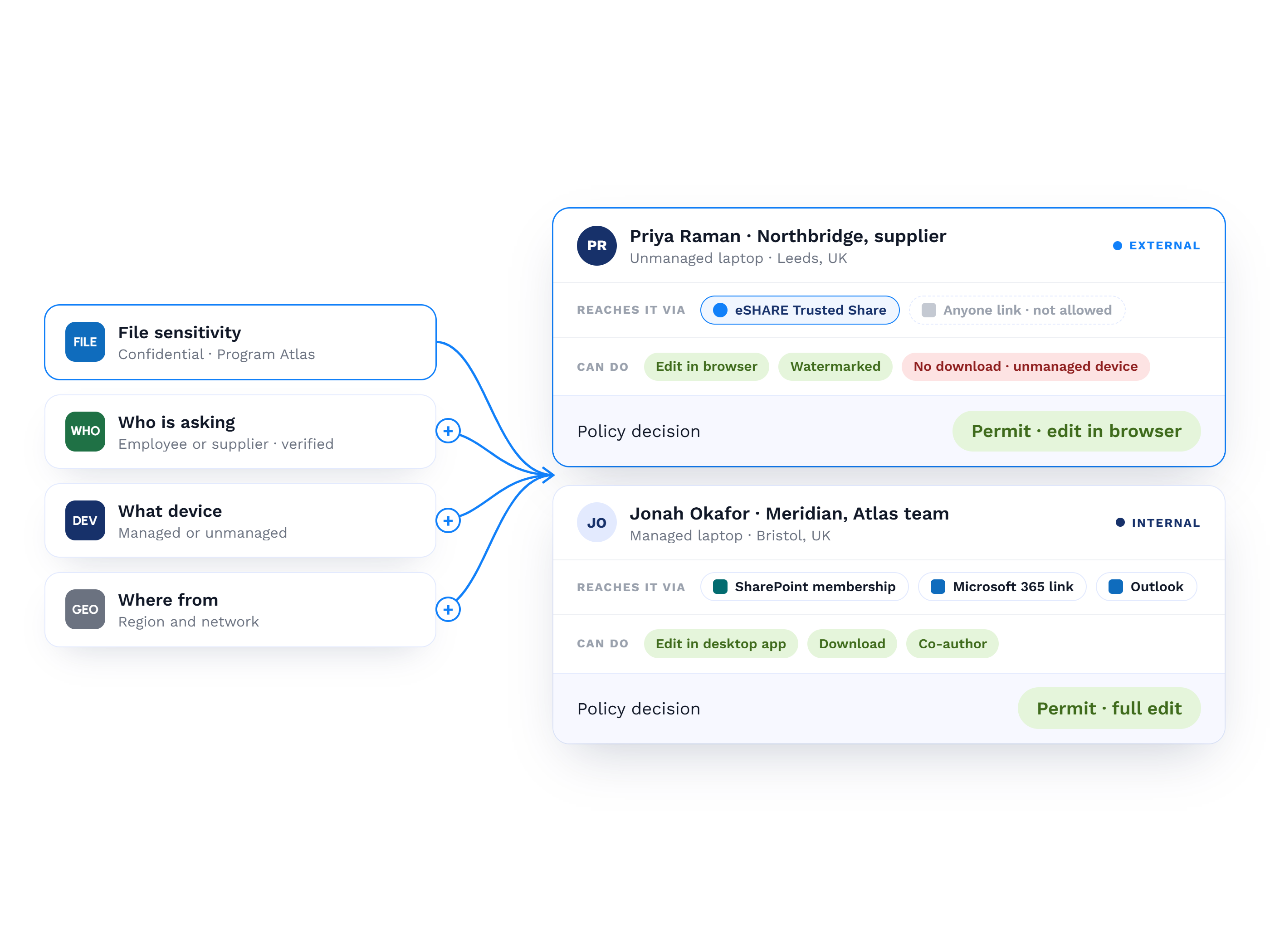
Attributes decide what recipients can do
Access decisions run on attributes such as who is asking, where from, and what the file is classified as, applied for both external and internal sharing.
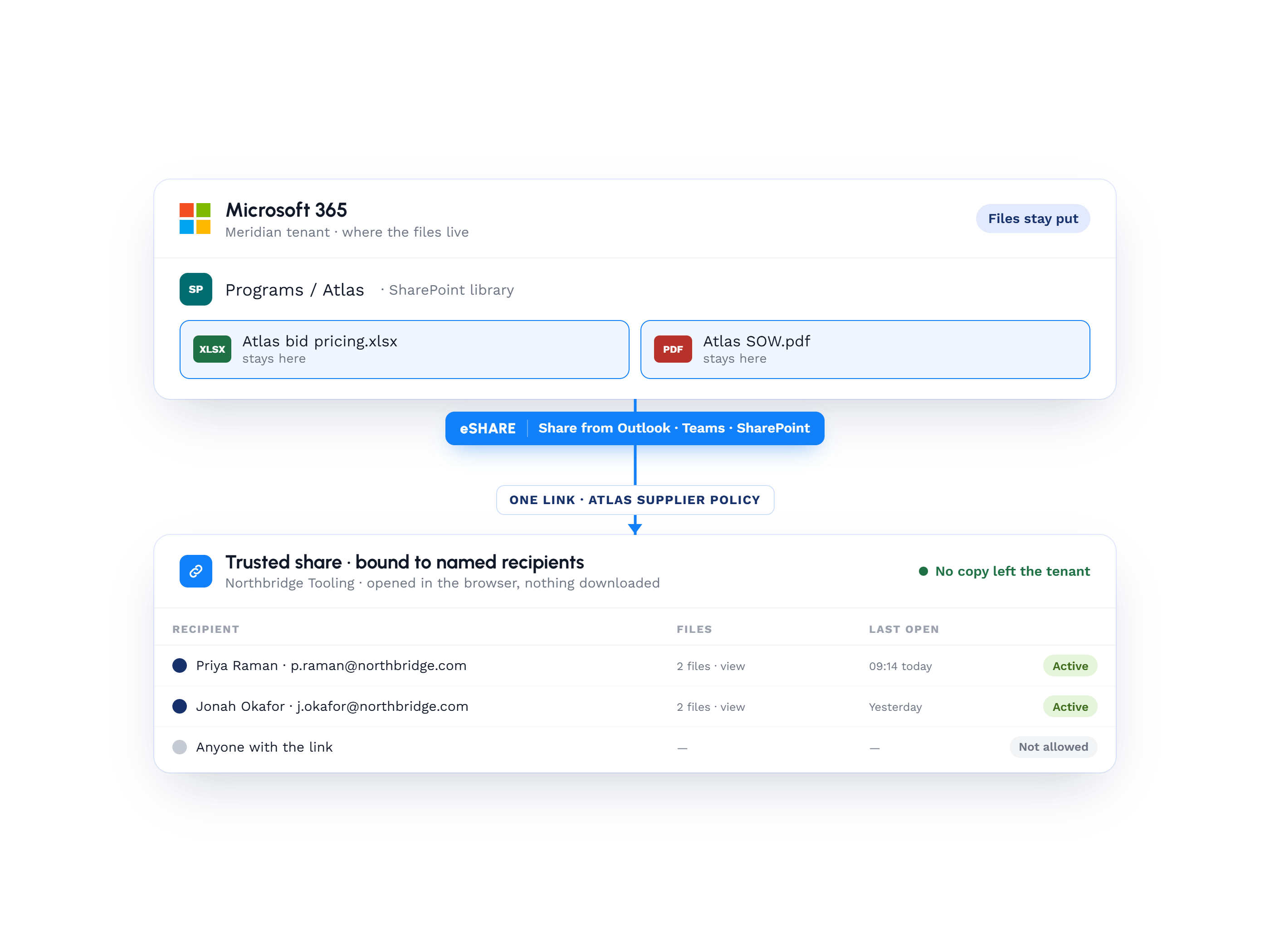
Files stays in the tenant and a link is shared
Files and folders bind to named recipients under a chosen sharing policy, created from Outlook, Teams or SharePoint, and the data stays put.
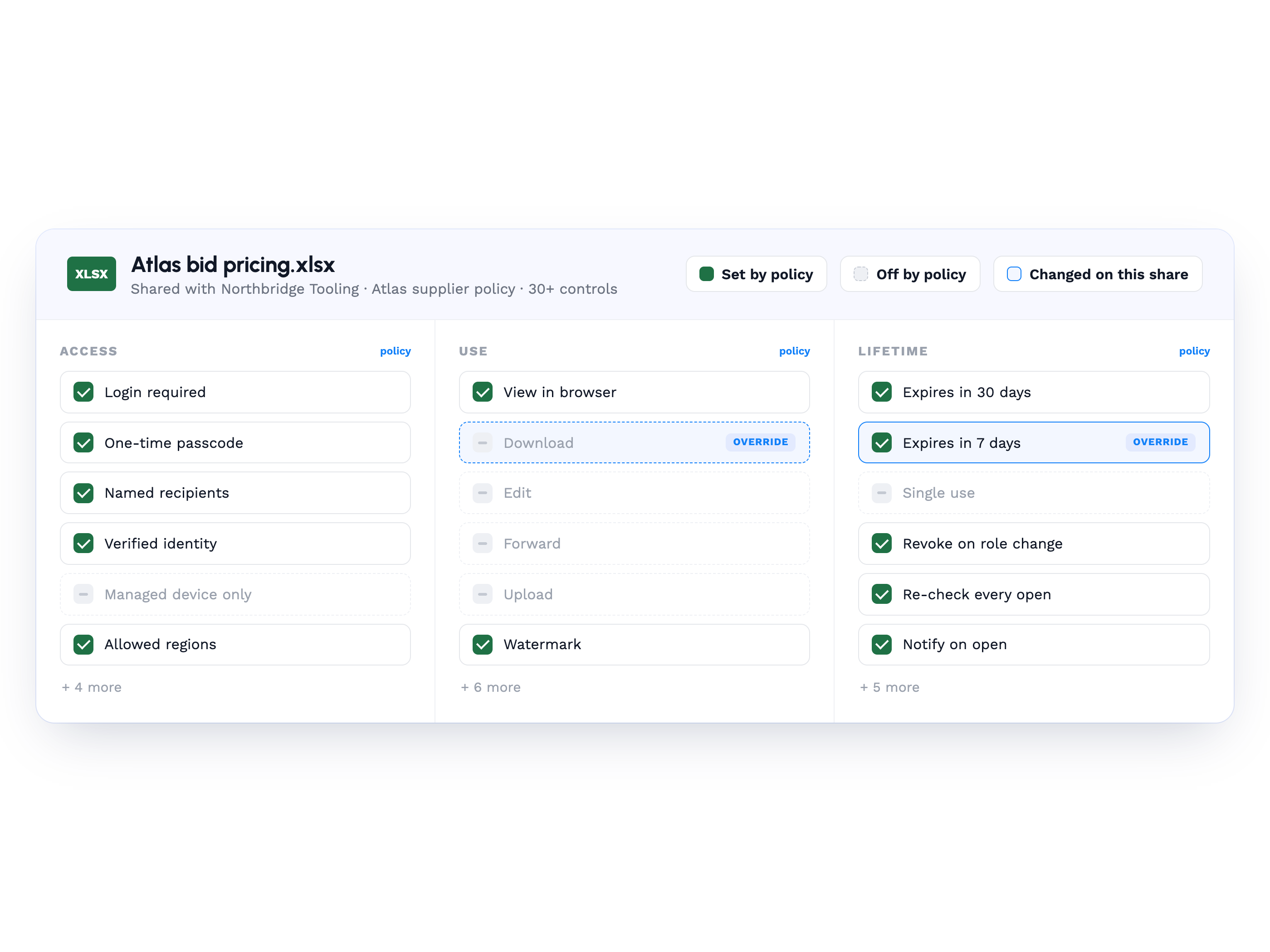
Each share automatically adapts to the governance it needs
More than 30 per-policy controls cover watermarking, login and passcode, download, edit, expiry and single use, with per-share overrides.
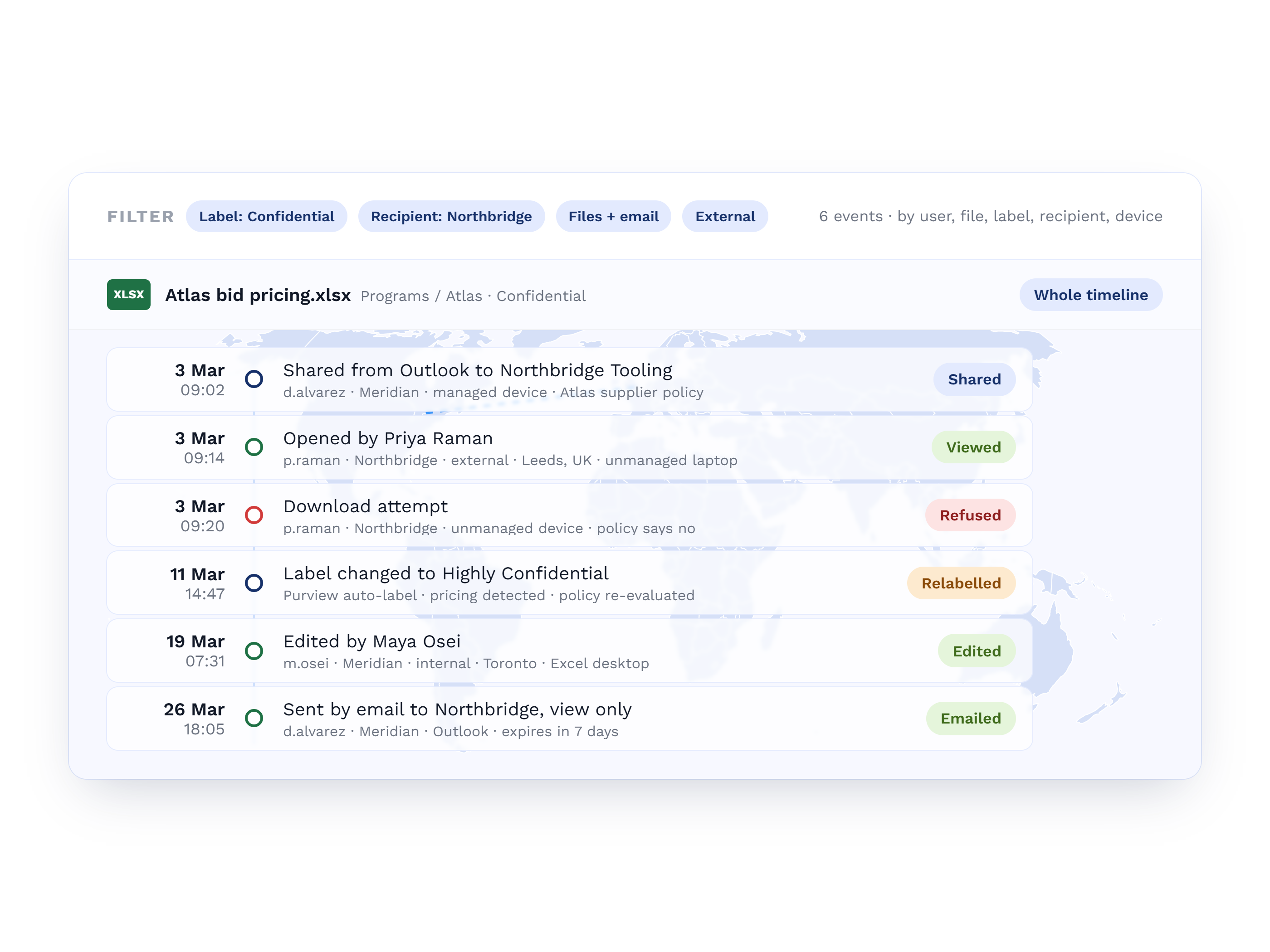
Every file and share action leaves a record
Auditing records file, share and email activity by user, file, sensitivity label, recipient, device, and internal or external party.
Success in Their Own Words

"eSHARE simplified and improved the quality of our data collection process. It’s modern and simple UX allowed us to quickly implement and secure our partnerships with our suppliers and continue to innovate our Digital Supply Chain Solutions."

"After evaluating numerous products throughout my career, none have matched eSHARE's comprehensive features and versatility. The platform's detailed control, such as SAML and OAUTH support, a comprehensive RESTful API for streamlined document management, and ongoing enhancements to meet cybersecurity demands, positions eSHARE as a top choice for enterprise file management and collaboration."

"A very good product, with amazing support. It has enabled us to provide secure documentation to customers and been a game changer for winning contracts in the UK. In the USA it has allowed the team to win high end contracts with confidence."